
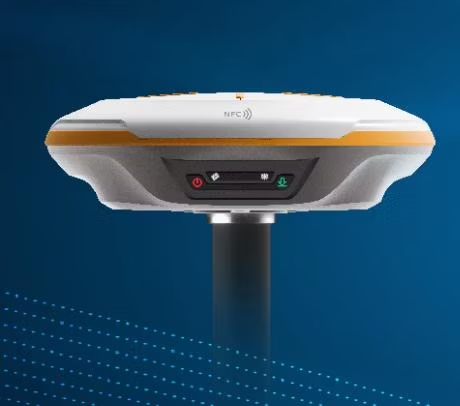
Ever wondered why your GNSS Receiver is not fixing? You're not alone. GNSS receivers are indispensable in today’s surveying, construction, and mapping workflows. But when your GNSS won't fix, the project grinds to a halt. Understanding the root of this issue can save you hours of frustration (and money). Here are the top 7 reasons why your GNSS Receiver isn’t fixing and what to do about them.
1. Poor Satellite Visibility Problem: You might be working under dense tree cover, near tall buildings, or in a deep valley. Solution: Consider moving to a more open sky view or using a multi-frequency receiver with enhanced satellite tracking capabilities in challenging environments.
2. Expired or Wrong RTK Code Problem: Your RTK subscription has expired, or you're using the wrong CORS credentials. Solution: Contact your GNSS Receiver provider (like OTIC Geosystems) to verify your code, renew it, or switch to the correct mount point.
3. Weak Internet Connection Problem: Your receiver isn’t receiving corrections from the CORS network due to bad mobile data. Solution: Check SIM card status, switch to a stronger network, or use a Wi-Fi hotspot.
4. Incorrect Receiver Settings Problem: GNSS settings, such as datum, coordinate system, or elevation mask, are misconfigured. Solution: Reset to manufacturer defaults or follow your provider's setup tutorial (OTIC Geosystems offers free guides for all major brands).
5. Outdated Firmware Problem: Your GNSS Receiver firmware is outdated, resulting in instability with satellites or incorrect correction formats. Solution: Update the firmware using the manufacturer’s tool or get support from your vendor.
6. Battery or Antenna Faults Problem: Low battery voltage or damaged antennas can interrupt GNSS signal processing. Solution: Fully charge the device, inspect the antenna cable and connectors, and replace faulty parts.
7. CORS Downtime or Region-Specific Issues Problem: The local CORS station you're connected to may be offline or under maintenance. Solution: Switch to a different nearby station or contact your CORS provider (e.g., OTIC Geosystems) to confirm service status. Bonus Tip: If your GNSS is not fixing, run a Full Cold Start If you've tried all the above and it's still not fixing, perform a cold start (clear satellite cache). This forces the receiver to reacquire signals from scratch.
Need Help Right Now? OTIC Geosystems offers: 24/7 WhatsApp support for RTK issues Remote troubleshooting Free setup tutorials for major GNSS brands RTK code sales, renewal & alerts Visit [www.oticgs.com] or call +234 706 to get your GNSS back online. Need a GNSS receiver then checkout our store [https://oticgs.com]